

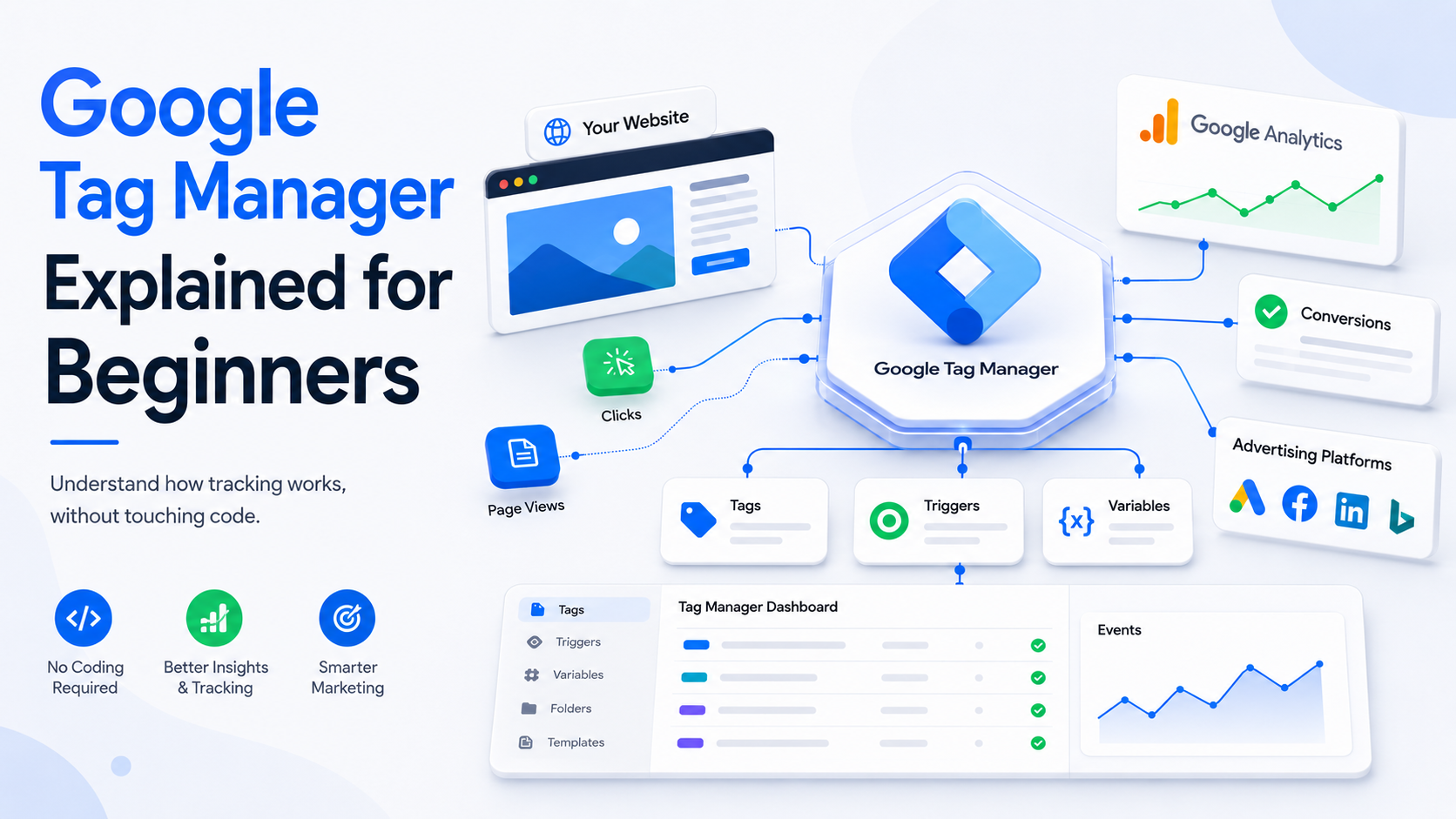
Google Tag Manager Explained for Beginners
Google Tag Manager is a powerful tag management system that helps website owners, marketers, SEO professionals, and developers manage tracking codes without making frequent changes to website code.
It allows you to create and manage tags, decide when those tags should run, and test changes before publishing them. For beginners, understanding Google Tag Manager starts with three important concepts: tags, triggers, and variables.
Whether you operate a business website, blog, e-commerce store, or marketing website, GTM can make your tracking process more organized and manageable.
How Does Google Tag Manager Work?
The basic process is simple when you understand the workflow.
1. Set Up GTM
First, create a Google Tag Manager account and container for your website. The GTM container code is then installed on your website.
After installation, GTM can manage the tags configured inside the container.
2. Create Tags
Tags tell GTM what action needs to take place.
For example, you can create a tag that sends an event to Google Analytics when a visitor clicks a specific button.
3. Set Triggers
Triggers tell GTM when a tag should fire.
A trigger can be configured for actions such as:
- Page views
- Button clicks
- Form submissions
- Link clicks
- Scroll activity
- Purchases
4. Test and Publish
Before making changes live, use GTM's preview and debugging features to check whether your tags are firing correctly.
Once everything works as expected, publish the changes.
Key Components of Google Tag Manager
There are three fundamental components beginners should understand.
Tags
Tags are tracking configurations or pieces of code that send information to external platforms.
For example, a tag can send an event to Google Analytics when someone downloads a PDF.
Triggers
Triggers define the conditions under which a tag should fire.
For example, a click trigger can activate a tag when a visitor clicks a particular button.
Variables
Variables store information used by tags and triggers.
Examples include page URL, click text, click URL, transaction value, and other dynamic information.
Understanding these three elements makes learning Google Tag Manager much easier.
Benefits of Using Google Tag Manager
Save Time
GTM reduces the need to make repeated website-code changes for many common tracking requirements.
Centralized Tracking
Marketing and analytics tags can be managed from one location instead of being scattered throughout website files.
Easy Testing
The preview and debugging functionality helps you identify tracking problems before publishing changes.
Better Collaboration
Marketing teams, SEO professionals, analysts, and developers can work with a common tracking structure.
Flexible and Scalable
As your website grows, you can add new tracking requirements without rebuilding your entire measurement system.
What Is Google Tag Manager?
Google Tag Manager is a free tag management platform from Google. It allows users to add, configure, test, and manage different tracking tags through one central interface.
A tag is generally a small piece of code or tracking configuration that communicates information to another platform.
For example, businesses may use GTM to manage:
- Google Analytics tracking
- Google Ads conversion tracking
- Meta Pixel
- LinkedIn Insight Tag
- Remarketing tags
- Custom tracking codes
Instead of changing website code every time a marketing tag is required, you can manage many implementations through GTM.
However, Google Tag Manager does not replace Google Analytics. GTM manages and deploys tags, while analytics platforms process and report the information collected through those tags.
Google Tag Manager for SEO and Digital Marketing
Although Google Tag Manager does not directly improve search rankings, it can support SEO measurement and digital marketing analysis.
For example, you can use GTM to track:
- CTA clicks
- Form submissions
- Downloads
- Video interactions
- Outbound link clicks
- Important user actions
These events can provide useful information about how visitors interact with your website.
Startups can also combine GTM with Free AI SEO Tools for Startups to build a more efficient marketing workflow. AI-powered SEO tools can assist with keyword research, content planning, and optimization, while GTM can help measure important user interactions.
GTM vs GA4: What Is the Difference?
Understanding GTM vs GA4 is important for anyone starting with website analytics.
Google Tag Manager is primarily a tag management system. It helps you configure and deploy tracking tags.
GA4, on the other hand, is an analytics platform designed to collect, organize, and analyze data from websites and apps.
In simple terms:
GTM = Manage and deploy tracking
GA4 = Analyze collected data
They can work together. For example, you can use GTM to configure an event and send that event to GA4 for analysis.
Common Tags Managed Through Google Tag Manager
Depending on your marketing setup, you may use GTM for different tracking technologies.
Common examples include:
- Google Analytics
- Google Ads
- Meta Pixel
- LinkedIn Insight Tag
- Conversion tracking
- Remarketing
- Custom HTML tags
The correct implementation depends on your website, marketing goals, consent requirements, and measurement strategy.
Google Tag Manager Best Practices
A clean GTM setup becomes increasingly important as the number of tags grows.
Use Clear Names
Give tags, triggers, and variables descriptive names so other team members can understand them quickly.
Test Before Publishing
Always use preview and debugging tools before publishing changes.
Remove Unused Tags
Review your container regularly and remove unnecessary or outdated configurations.
Document Changes
Maintain a simple record of important tracking changes so your team knows what was implemented and why.
Review Your Tracking
Digital marketing changes constantly. Reviewing your setup alongside SEO Trends Every Marketer should understand can help ensure your tracking remains useful.
Consider User Consent
Tracking should be implemented responsibly and in accordance with applicable privacy and consent requirements.
Is Google Tag Manager Difficult for Beginners?
Google Tag Manager may initially appear technical, but the basic structure is easy to understand.
Start by learning tags, triggers, and variables. Then create a simple tracking configuration, test it, and gradually move toward more advanced implementations.
You do not need to learn every GTM feature at once. A step-by-step approach is usually easier for beginners.
Google Tag Manager gives marketers and website owners a practical way to organize and manage tracking implementations.
Its three main building blocks—tags, triggers, and variables—help determine what should be tracked, when tracking should happen, and what information should be used.
When combined with analytics platforms, GTM can provide a strong foundation for measuring website interactions and marketing performance.
Understanding GTM vs GA4 is particularly important because the two platforms have different purposes. GTM manages tracking implementations, while GA4 helps analyze the resulting data.
For beginners, the best approach is simple: start small, test every change, keep your container organized, and expand your tracking setup as your business grows.
Frequently Asked Questions :
Google Tag Manager is a tool that helps users manage and deploy website tracking tags from one central platform.
Yes, the standard version of Google Tag Manager is free to use.
The three main components are tags, triggers, and variables.
GTM vs GA4 can be understood simply as tag management versus analytics and data analysis.
Yes, Google Tag Manager can help SEO teams track important website interactions and user behavior.